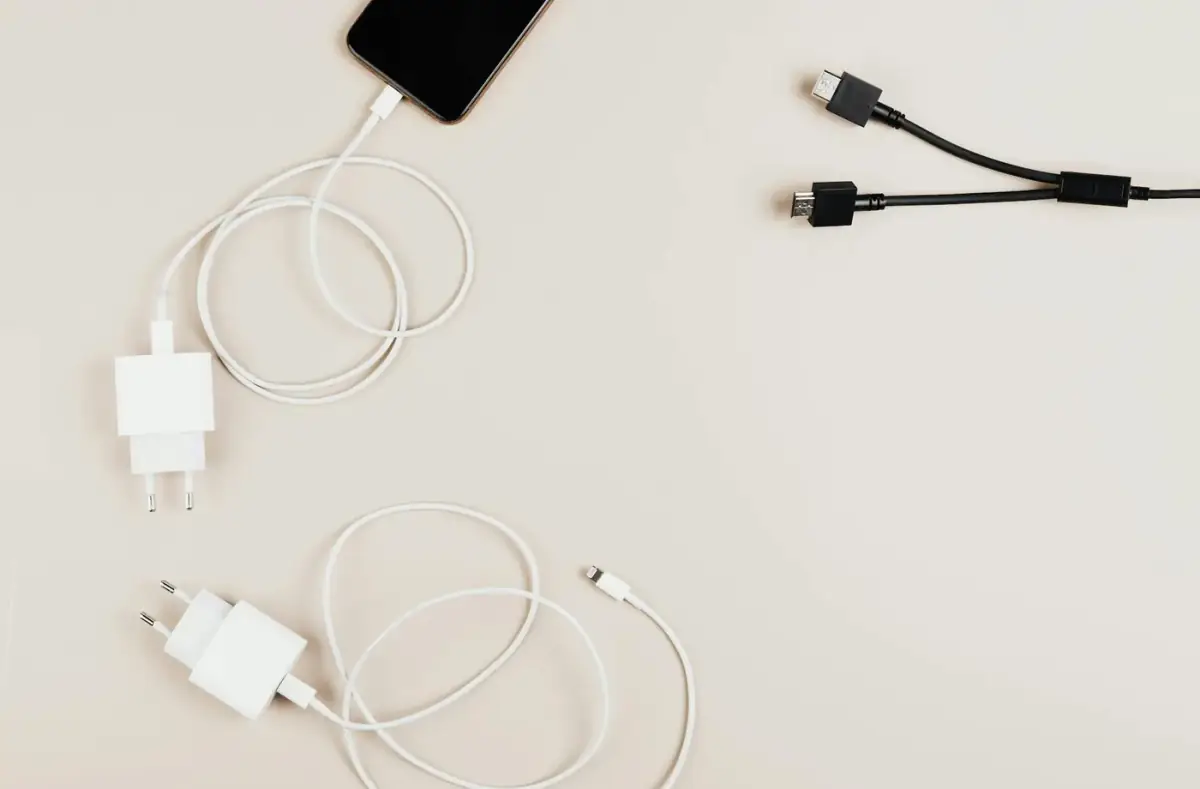
iPhone Travel Charging and Connection Basics
Prepare iPhone charging, roaming, backups, offline access, account recovery, and safe cable choices before travel.
 By NexyFix Mobile and Laptop DeskPhone and Laptop Help EditorPublished Feb 28, 2026Updated Mar 5, 20268 min readBeginnerBeginner friendly
Guided repair
iPhone travel charging and connection basics
Use this before travel or when charging and connection problems happen away from home. Plan safe cables, adapters, backups, offline access, roaming, and stop points for heat or port damage.
Time needed
15-45 minutes
Difficulty
Beginner
Risk level
Low
Applies to
Symptoms
- Phone charges slowly while traveling
- Cable is loose in a case
- Hotel or car USB barely charges
- Roaming or WiFi is confusing
- Battery drains faster on trips
Common causes
- Weak USB ports
- Damaged cable
- Wrong adapter for the region
- Poor signal
- Navigation and camera use
- No offline backup plan
Before you start
Prepare a safe repair session
- Back up before travel.
- Inspect cables and adapters.
- Do not rely on unknown damaged chargers.
- Stop for swollen battery, heat, burning smell, liquid damage, melted plastic, damaged cable, or a loose charging port.
Quick path
Try the safest checks first
Step 1
Pack known-good charging gear
Travel problems are easier when the cable and adapter are known good before you leave.
Exact path to follow
- 1Test the cable at home.
- 2Test the wall adapter.
- 3Remove the case for one fit check.
- 4Pack a spare cable if the trip matters.
Expected result
You know the charging kit works before travel.
If it worked
Use that kit.
If it did not work
Replace damaged or unreliable gear before leaving.
Does the cable and adapter charge reliably at home?
Yes
Pack it with confidence.
No
Replace it before relying on it during travel.
Step 2
Prepare backup and offline access
Travel increases the cost of losing access to photos, maps, tickets, and account recovery.
Exact path to follow
- 1Back up photos and important files.
- 2Download offline maps or tickets where needed.
- 3Make sure account recovery options are current.
- 4Write down emergency support contacts.
Expected result
Important data is safer before the trip.
If it worked
Stop and keep the plan.
If it did not work
Fix backup before risky travel or reset decisions.
Did the quick path fix the problem?
Yes
Stop here and write down what worked.
No
Continue with the detailed steps below.
Detailed steps
Move one step at a time
Step 3
Avoid weak or unknown USB power
Some car, plane, hotel, and public USB ports charge slowly or unreliably.
Exact path to follow
- 1Prefer your own wall adapter where safe.
- 2Avoid visibly damaged public ports.
- 3If using a public USB port, use it only when necessary.
- 4Watch for heat or repeated disconnects.
Expected result
Charging is more reliable and safer.
If it worked
Keep using known-good power.
If it did not work
Switch power source if charging is unstable.
Step 4
Manage signal and battery drain
Roaming, weak signal, camera, navigation, and hotspot use can drain battery quickly.
Exact path to follow
- 1Use WiFi when trusted.
- 2Download offline maps.
- 3Lower brightness when possible.
- 4Turn off hotspot when finished.
- 5Check Battery settings if drain is severe.
Expected result
Battery lasts longer during travel.
If it worked
Keep the lighter travel setup.
If it did not work
Use the charging safety guide if heat appears.
Step 5
Check cable fit with the case
Travel cases, wallets, mounts, and magnetic accessories can block connectors or add heat.
Exact path to follow
- 1Remove the case if charging is intermittent.
- 2Check connector seating.
- 3Avoid stacking thick accessories while charging.
- 4Retest with the case off.
Expected result
You know whether the case or accessory affects charging.
If it worked
Use a better-fitting setup.
If it did not work
Stop if port damage or heat appears.
Advanced checks
Use only after the safe path
Step 6
Do not reset or erase the phone while traveling unless backed up
Account recovery and data restore are harder away from home.
Exact path to follow
- 1Avoid factory reset while traveling unless absolutely necessary.
- 2Confirm backup and account recovery first.
- 3Use support or carrier help for account/network issues.
- 4Keep the phone charged safely before any major step.
Expected result
Major recovery steps are delayed until data is safe.
If it worked
Resolve the travel issue without reset.
If it did not work
Get support if the phone is unusable.
Stop here
Stop for travel charging safety signs
Travel charging should be boring and reliable. Heat, damage, or liquid changes the plan.
- Stop for heat, swelling, smell, or liquid.
- Stop if the port is loose.
- Stop before reset without backup.
Mistakes to avoid
- Do not rely on a frayed cable.
- Do not reset while traveling without backup.
- Do not ignore heat in cars or direct sun.
- Do not force adapters or ports.
When to ask a technician
- Port is damaged during travel.
- Phone swells or overheats.
- Liquid exposure occurs.
- The phone will not charge with multiple known-good cables.
Guided repair FAQ
Why does hotel or airplane USB charge slowly?
Many built-in USB ports provide low power. A known-good wall adapter is usually more reliable when safe to use.
Should I use a public USB port?
Prefer your own adapter when possible. If you must use public power, avoid damaged ports and watch for heat or disconnects.
Should I use a random tool to fix iPhone travel charging?
No. Start with built-in settings, official support paths, reversible checks, and known-good cables or accessories. Unknown repair tools often add risk without proving the cause.
What is the safest way to test?
Change one thing, test the same symptom, and stop when the problem is fixed. Avoid stacking several changes because you will not know what helped.
Related guides
Was this helpful?
Your feedback helps NexyFix improve future repair guides and beginner explanations.

NexyFix Mobile and Laptop Desk
View author profilePhone and Laptop Help Editor
A role-based NexyFix editorial profile for beginner-friendly phone, charging, Bluetooth, storage, and laptop maintenance explanations with safety notes first.
Related articles
 Phone ChargingHow to Fix iPhone Charger Port Not Working: Safe Checks FirstiPhone charger port not working? Try safe checks for lint, cable problems, adapter issues, moisture warnings, loose charging, and when to get repair help.Phone ChargingiPhone Charger Cable Not Working: Safe Charging ChecksIf your iPhone charger cable is not working, check the cable, adapter, outlet, charging port, temperature, and backup options before replacing parts.